# How to add return page to customer account?

### How to set it up?

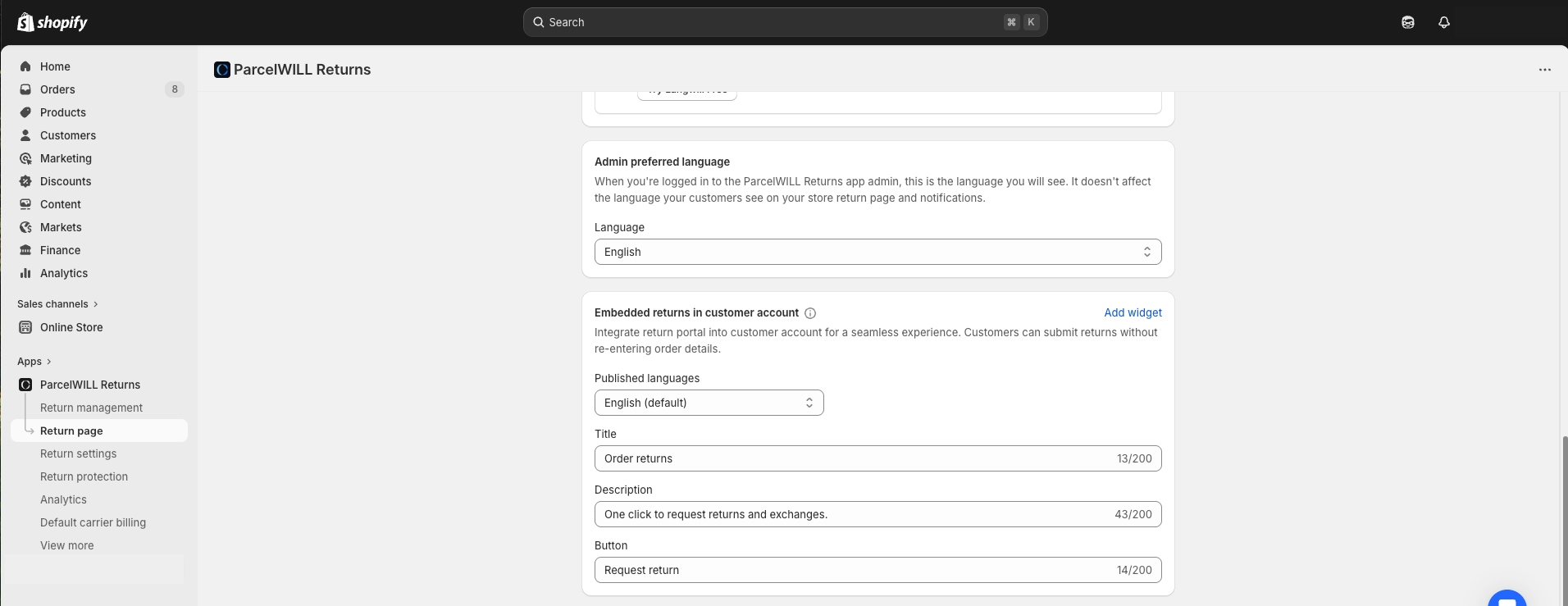
Go to **Return page** -> **Embedded returns in customer account**, and click **Add widget**.

<figure><img src="https://2400250274-files.gitbook.io/~/files/v0/b/gitbook-x-prod.appspot.com/o/spaces%2FzW1B3p8gnDnREcxBs7hB%2Fuploads%2FVqCwPmdORMFRbpcLo3tQ%2FCustomer%20account.png?alt=media&#x26;token=559af3ac-cde2-495b-b535-c02db1be7920" alt=""><figcaption></figcaption></figure>

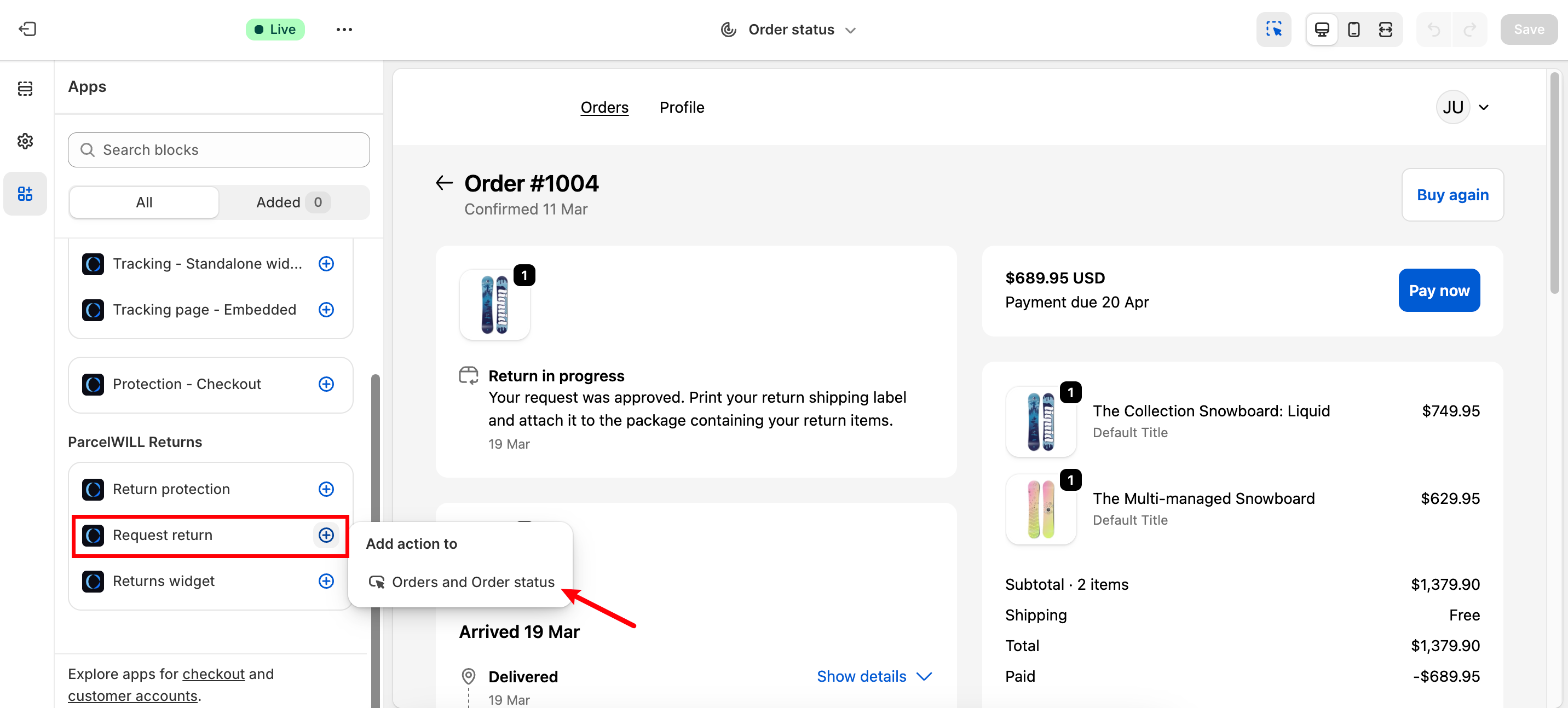
There are two places where you can put you return submit button.

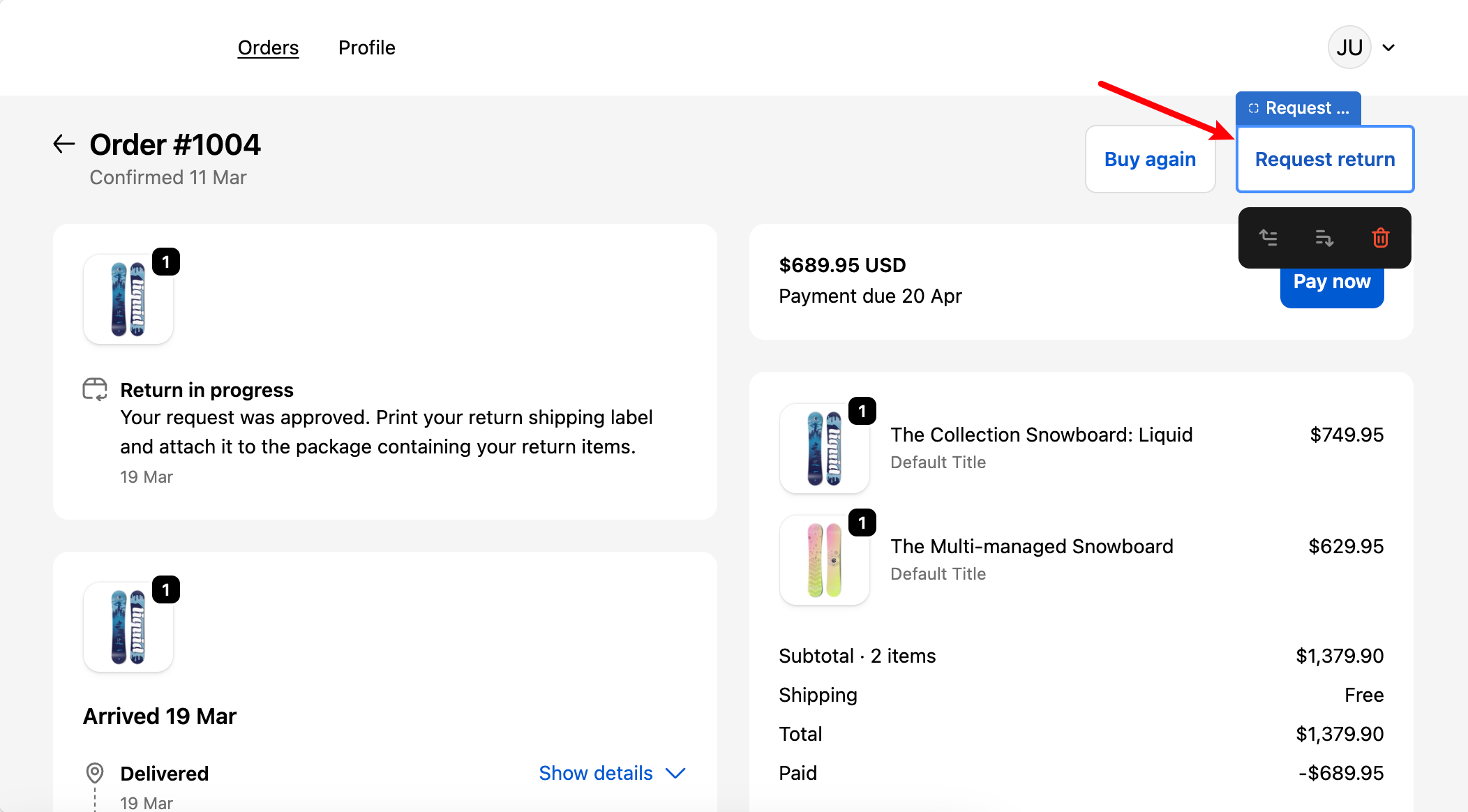
1. **Orders & Order status page**

<figure><img src="https://2400250274-files.gitbook.io/~/files/v0/b/gitbook-x-prod.appspot.com/o/spaces%2FzW1B3p8gnDnREcxBs7hB%2Fuploads%2FSG5m72SHWzrRbSd35HaQ%2FClipboard_Screenshot_1774230086.png?alt=media&#x26;token=5b233d09-9269-4b31-bbda-949720748308" alt=""><figcaption></figcaption></figure>

Outcome：

<figure><img src="https://2400250274-files.gitbook.io/~/files/v0/b/gitbook-x-prod.appspot.com/o/spaces%2FzW1B3p8gnDnREcxBs7hB%2Fuploads%2FYNAoBwjeHE00oQucsQny%2FClipboard_Screenshot_1774230502.png?alt=media&#x26;token=6449124c-1203-405e-aed1-cffffeca9c91" alt=""><figcaption></figcaption></figure>

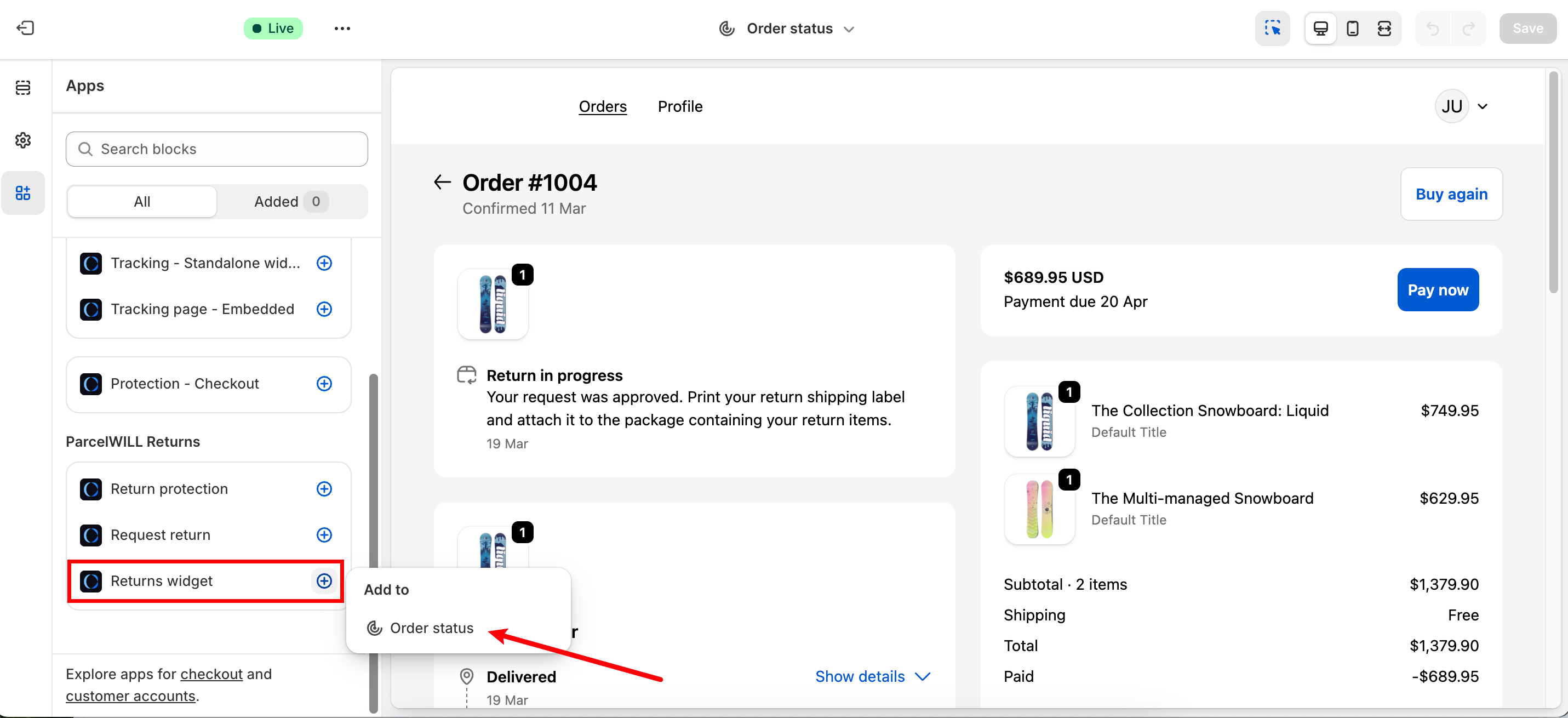
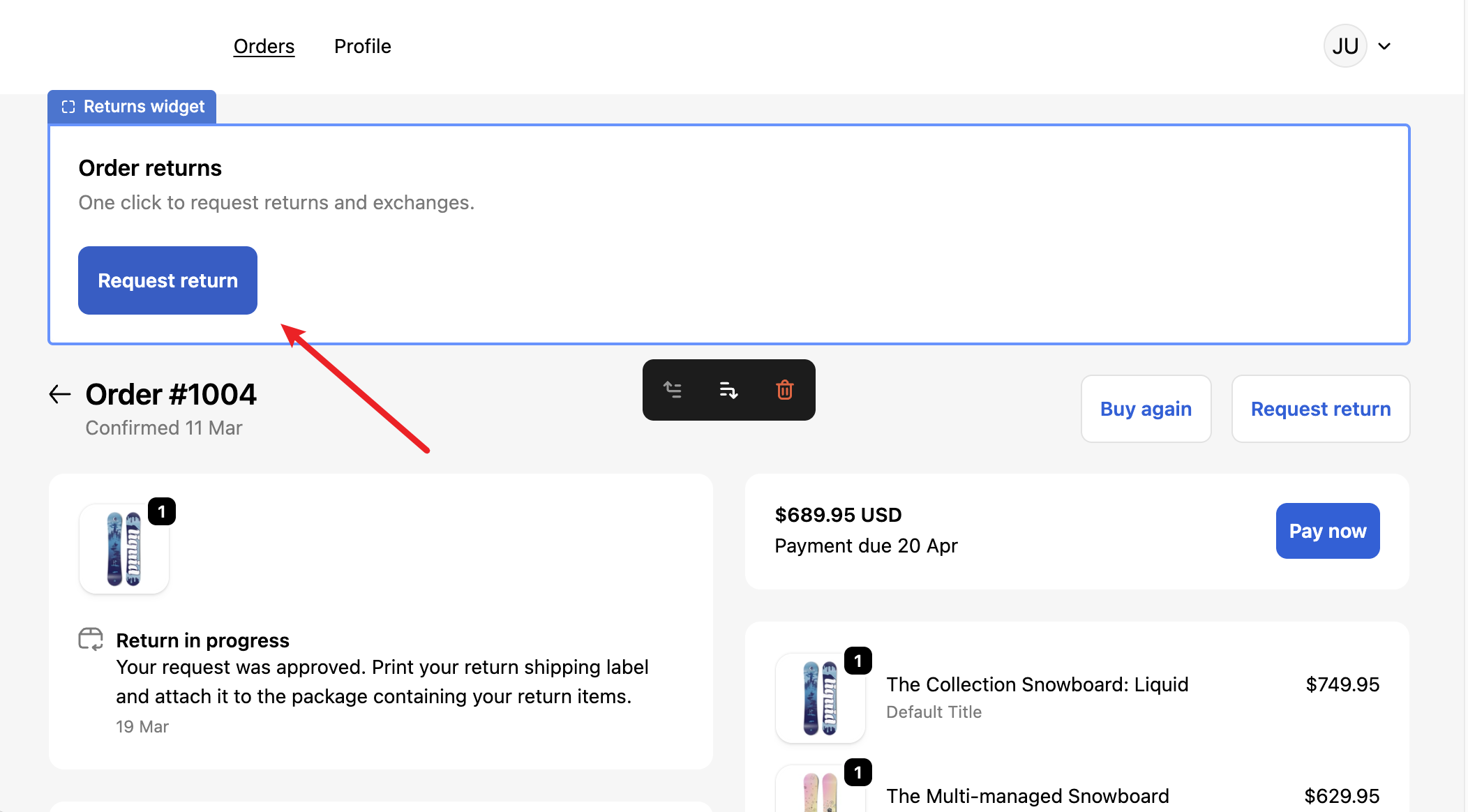
2. **Order status widget**&#x20;

<figure><img src="https://2400250274-files.gitbook.io/~/files/v0/b/gitbook-x-prod.appspot.com/o/spaces%2FzW1B3p8gnDnREcxBs7hB%2Fuploads%2F5rsuwASd89ZWrDp4kusa%2FClipboard_Screenshot_1774230043.png?alt=media&#x26;token=ef453627-ba02-4c38-aa48-37e610a0325a" alt=""><figcaption></figcaption></figure>

Outcome:

<figure><img src="https://2400250274-files.gitbook.io/~/files/v0/b/gitbook-x-prod.appspot.com/o/spaces%2FzW1B3p8gnDnREcxBs7hB%2Fuploads%2F2vVx087Nd9Xdfrz8jIsQ%2FClipboard_Screenshot_1774230808.png?alt=media&#x26;token=6803b208-7463-4f9c-a516-80815ab15905" alt=""><figcaption></figcaption></figure>

### Multi-language customization

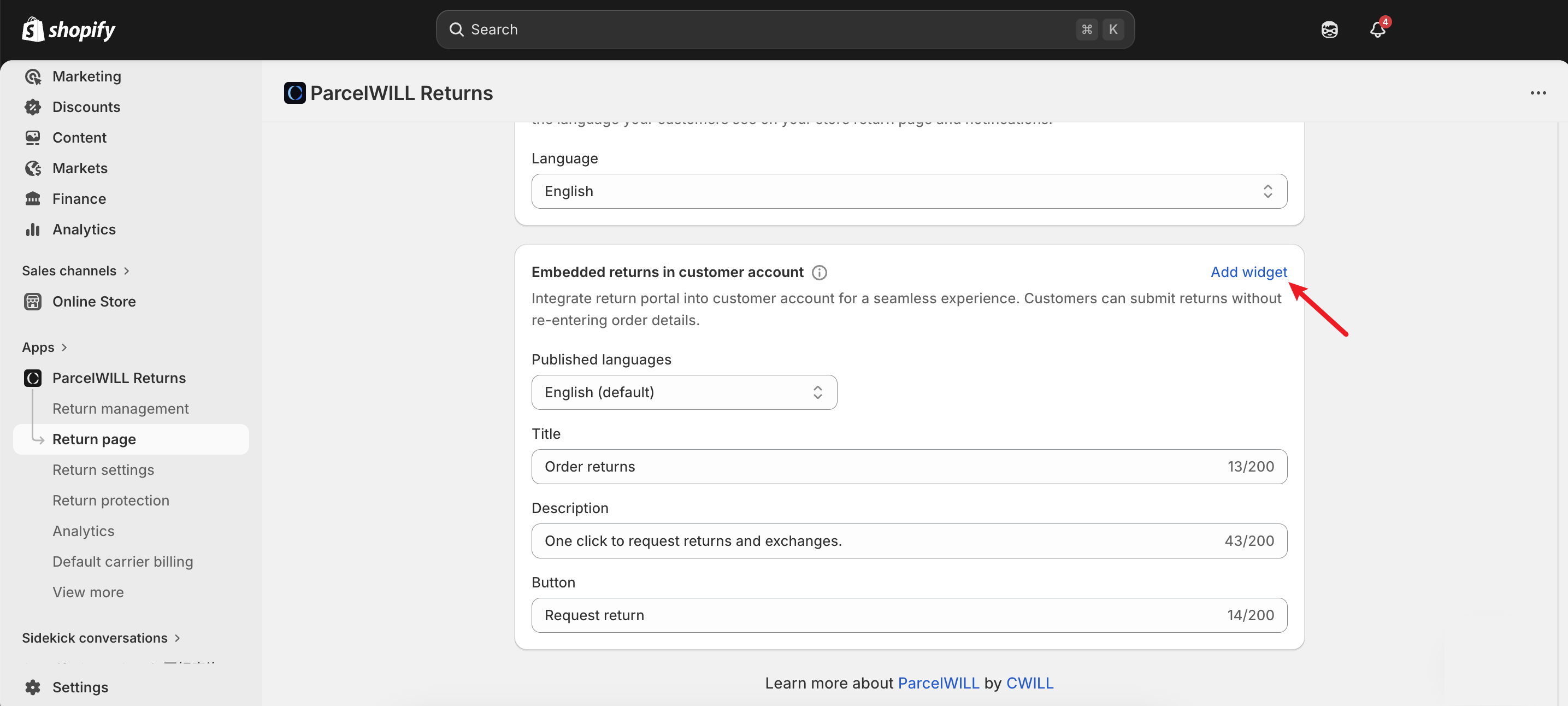
You can change the return submitting button text or the widget description text here:
<figure><img src="https://2400250274-files.gitbook.io/~/files/v0/b/gitbook-x-prod.appspot.com/o/spaces%2FzW1B3p8gnDnREcxBs7hB%2Fuploads%2F1ErVD2dApaEQVcGKpJ39%2FClipboard_Screenshot_1774514521.png?alt=media&#x26;token=56e708c5-9faf-4565-9b3e-b9cec5e1f844" alt=""><figcaption></figcaption></figure>